Undo & Redo
Undo and Redo.
Stellar provides the user two levels on undo.
Undo Last function - Ctrl + Z
- Undo most of the changes you can make in Stellar, including text, format, style, insert, delete, split and merge.
- Pressing Ctrl+ Z multiple times will step back through all the most recent changes. There is a limit of approximately 20 changes stored.

Redo last function undone – Ctrl+Y.

- After you have don an Undo, you may wish to Redo that change.
- Redo multiple Undos by repeatedly pressing Ctrl+Y. Tis will repeat until there are no more Undos to Redo.
Version History – Alt + Z
[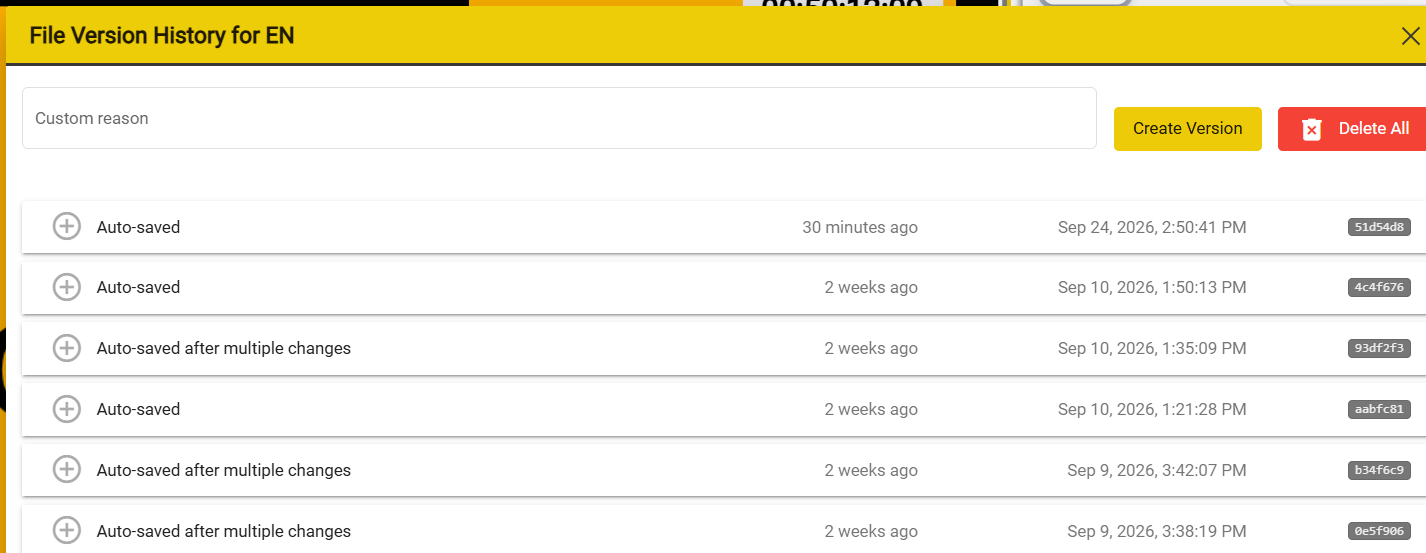
- Alt+ Z pops up an list of the version History for the file you are working on.
- These versions are stored automatically whenever a change is made. (Save, Insert, Delete etc.)
- Each text file has its own, separate, set of backups.
- Each version has a timestamp so you can see how long ago it was saved.
- The most recent backup is at the top of the list.
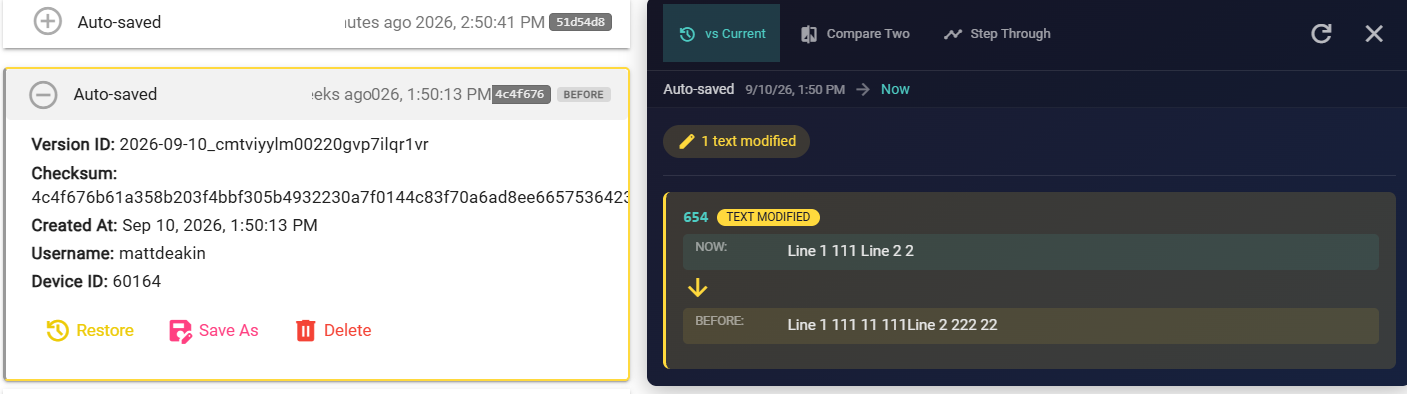
- Clicking on one of the Restore buttons will open a 'differences' list so you can see the differences between the stored version and the current version.
- You can choose to restore any version, delete it, or save it for external use.
- When you restore a version the previous current version will become a newest stored version with the current time.
Click on the plus button on a specific version to see more details and a list of the changes